
PopcornCrew for Chrome
Watch Netflix and Prime Video together
The free PopcornCrew extension for Chrome and Edge: rooms to watch together with friends, each from home, and what you finish is marked as watched on its own.
Free. It also works on Microsoft Edge.
What it does
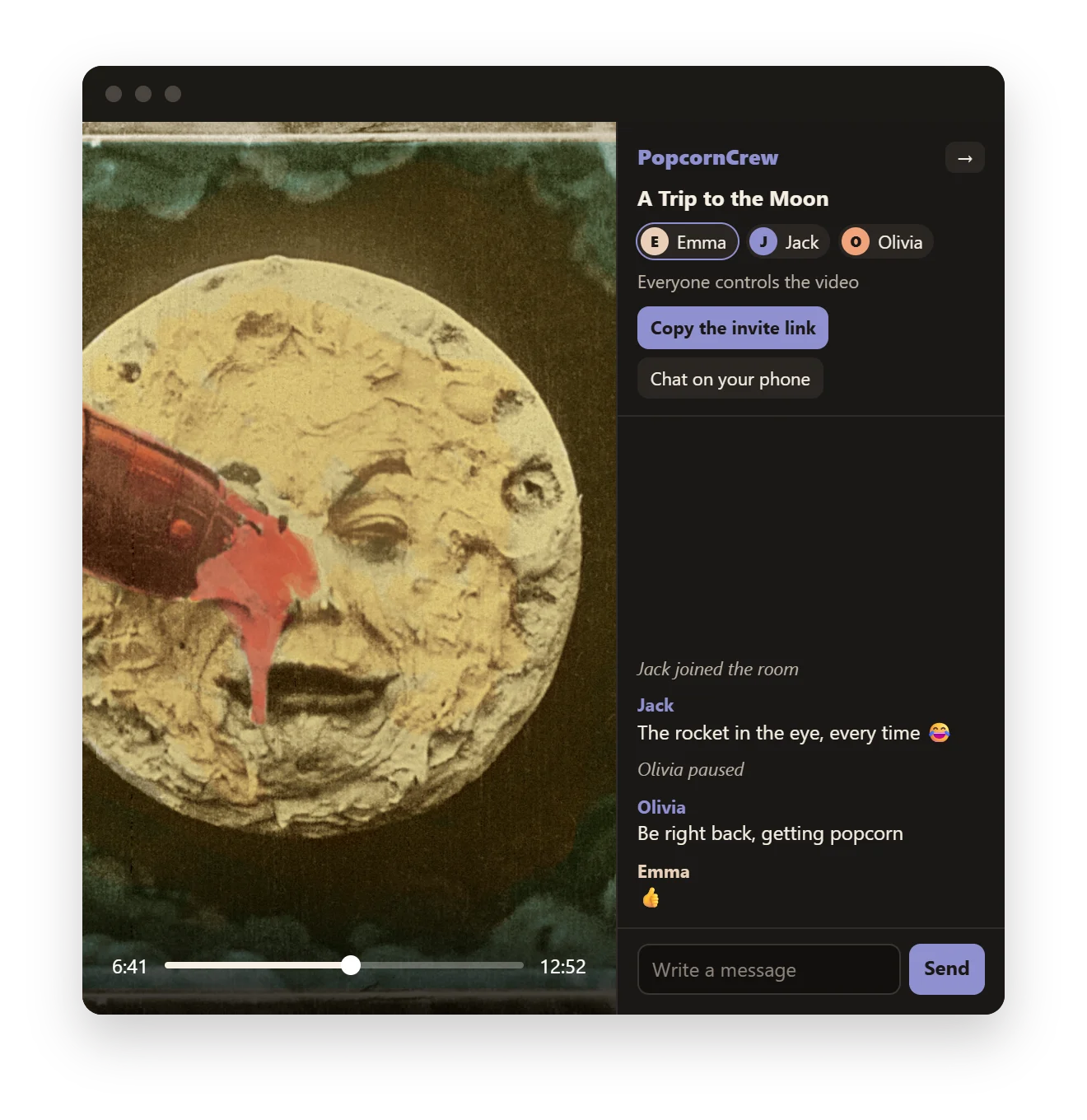
One room, the same moment of the movie
Open a room on what you are watching and send the link: everyone joins with their own account and subscription, and the chat sits next to the video.
- Play, pause and jumps are shared: you are always at the same point.
- If someone gets an ad, the room waits for them.
- Whoever opens the room decides if only they or everyone controls the video.
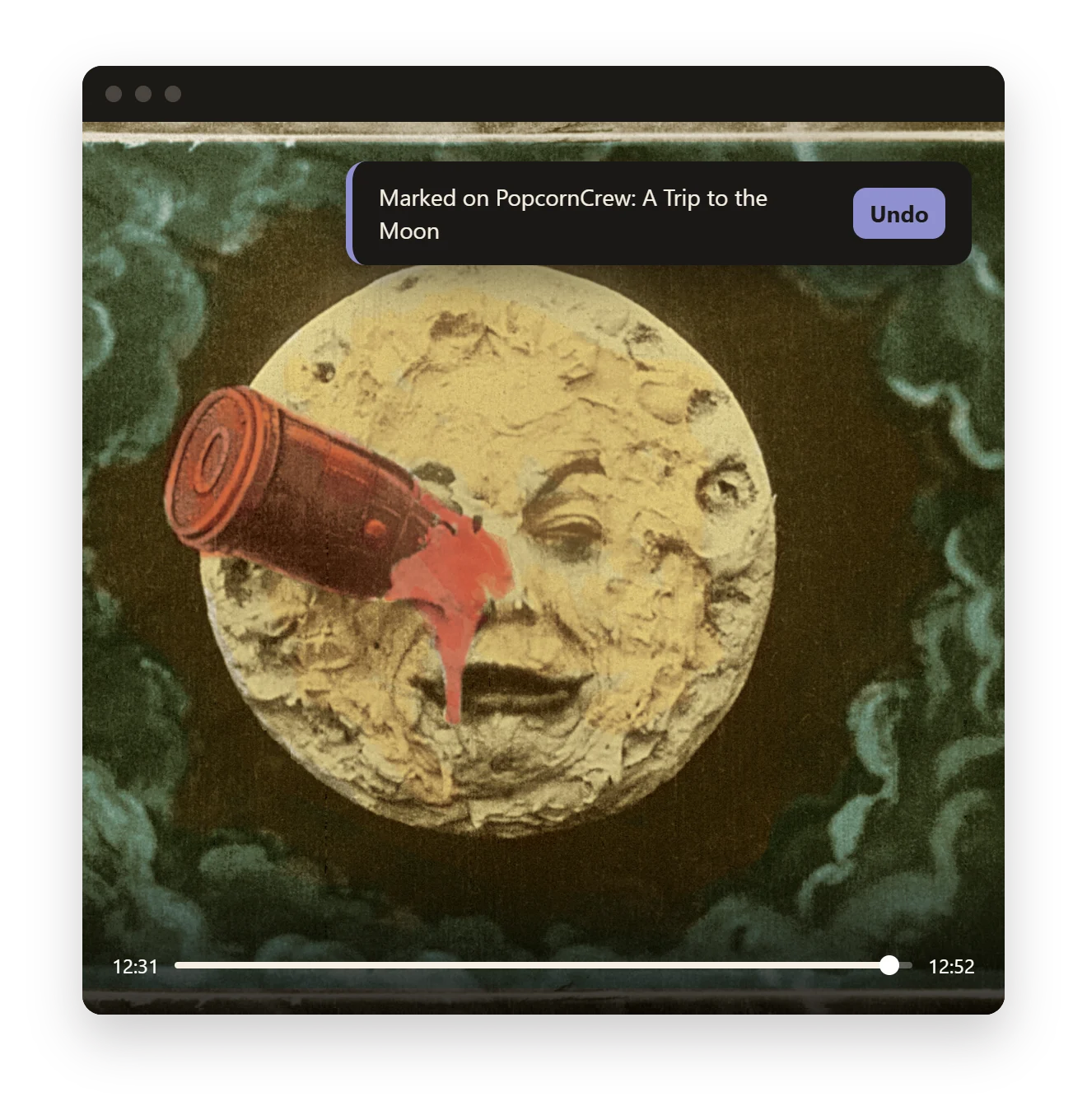
What you finish is marked on its own
When a movie or an episode ends on Netflix or Prime Video, it shows as watched on PopcornCrew, with a notice and a button to undo. You can switch it off anytime.
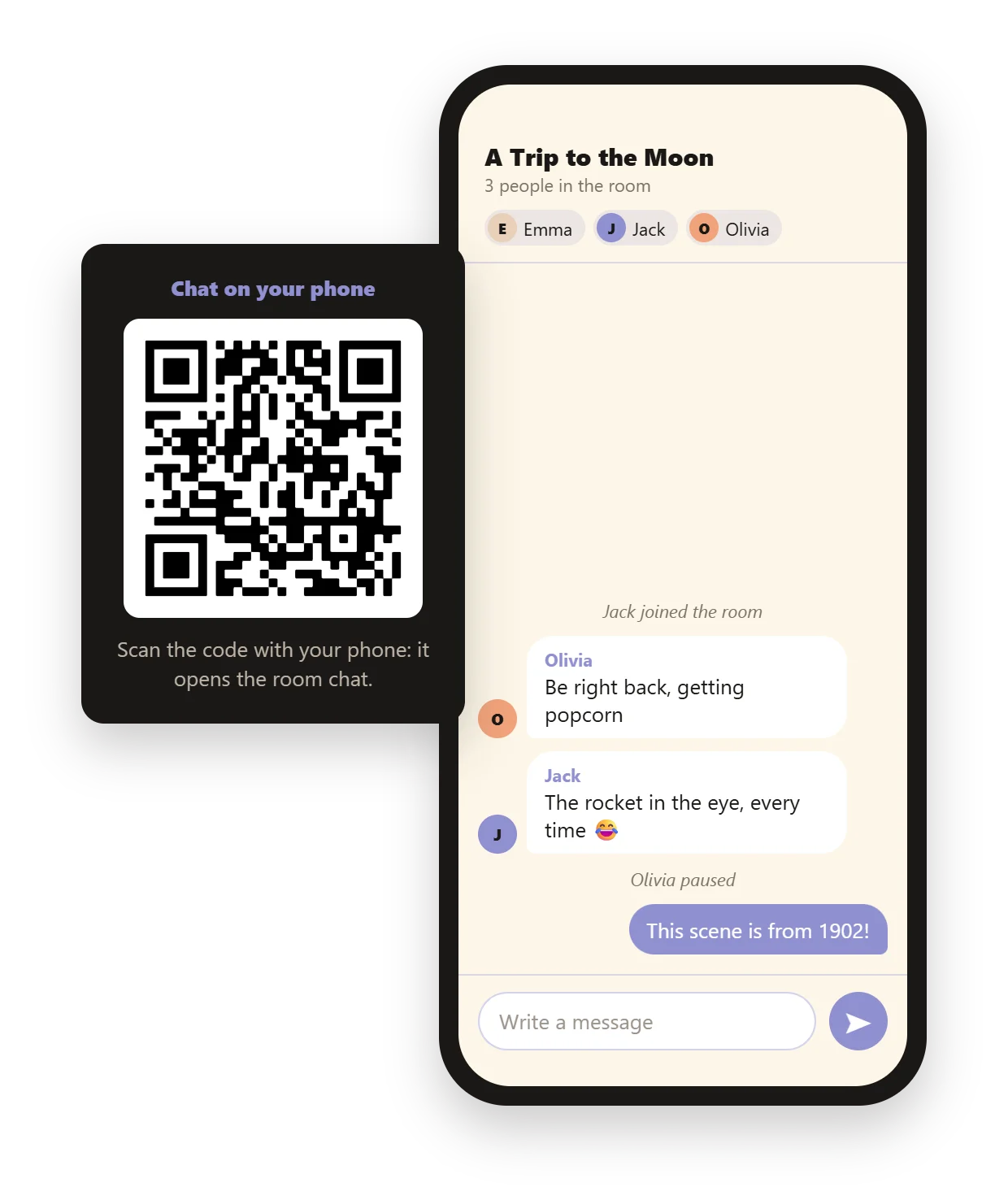
The chat on your phone too
From the room panel you scan a QR code and write from your phone: handy from the couch, or when two of you share the same screen.
How to start
- 1Add the extension to Chrome or Edge.
- 2Click its icon and connect your PopcornCrew account: it is free.
- 3Start a movie on Netflix or Prime Video and open a room from the icon.
Coming from JustWatch?
JustWatch does not let you download your data. With the extension, on justwatch.com you download watched titles, episodes with their date, Watchlist and lists, and upload them to PopcornCrew.
How to importYour privacy
The extension never sees your passwords. On Netflix and Prime Video it only reads what you are watching and how far you are, and we do not save chat messages.
Read the privacy policy